
Analytics overview
The five report tabs and what each one shows.
Analytics rolls every part of Peleka up into reports, organized into five tabs: Overview, Broadcasts, Audience, Automation, Forms. Every tab except Overview has its own date-range selector (7d / 30d / 90d / 1y / custom); Overview is deliberately all-time with no filter, so it always reflects your account's full history.
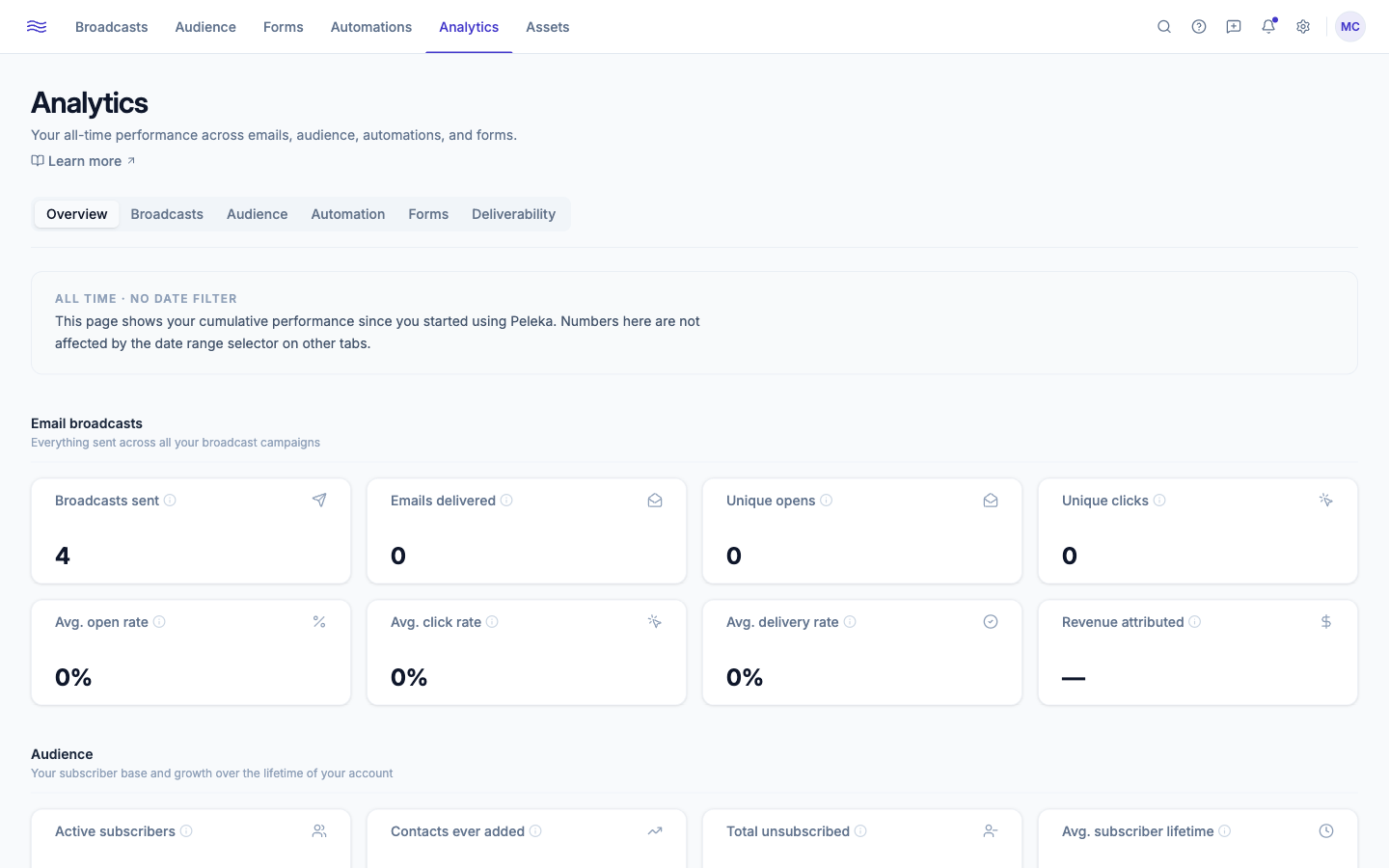
Overview
All-time cumulative numbers, grouped into four sections:
- Email broadcasts: broadcasts sent, emails delivered, unique opens/clicks, average open/click/delivery rate, and revenue attributed (requires WooCommerce).
- Audience: active subscribers, contacts ever added, total unsubscribed, average subscriber lifetime, mobile reader %, average list growth rate.
- Automations: automations built, contacts enrolled, journeys completed, average completion rate, automated emails sent, average open rate.
- Forms: forms created, total views, total submissions, overall conversion.
Broadcasts
Stat cards (Broadcasts Sent, Avg Open Rate, Avg Click Rate, CTOR, Delivery Rate, Unsubscribe Rate, Hard Bounce Rate, Spam Complaint Rate) plus charts: Broadcast Engagement, Delivery Funnel, Revenue Attributed (requires WooCommerce, shows a connect prompt otherwise), Top Clicked Links, Email Volume, Engagement Trend, Best Days to Send, Best Time to Send, Unsubscribe Trend, Clicks by Device, and a paginated Performance by Broadcast table.
Audience
Stat cards (New Subscribers, Unsubscribes, Unsubscribe Rate, Net Growth), a List Growth chart (Total vs. Net Change, with Days/Weeks/Months granularity), Subscriber Source, Engagement Distribution (Highly Engaged / Engaged / Neutral / At Risk / Lapsed tiers), Segment Performance, an Engagement Heatmap (day × time-of-day), device and email client breakdowns, a paginated Performance-by-Subscriber table with bulk actions (Add to Segment / Add Tag / Export / Unsubscribe), and Audience Locations.
Location data is privacy-conscious
Audience Locations is country-level only, inferred from email open events, and excludes privacy-protected opens (e.g. Apple Mail Privacy Protection). Peleka does not store IP addresses for this purpose.
Automation
Stat cards plus an Automation Performance table (sortable by sent, open rate, click rate, unsubscribe rate), Workflow Activity, Engagement Trend, Enrollment, and an Email Steps performance table.
Forms
Stat cards (Views, Submissions, Conversion, etc.), a Forms Performance table, submissions-over-time, traffic sources, and views-vs-submissions.
Exporting
Every chart has its own Export button for a CSV download, independent of the tab-level date range, so you can grab exactly the slice you need.