
Broadcasts overview
What a broadcast is, how its lifecycle works, and where to manage them.
A broadcast is a one-off or scheduled email campaign (a newsletter, a promo, an announcement) sent to some or all of your audience. Broadcasts live under Broadcasts → Campaigns, alongside a Templates tab for reusable starting points.
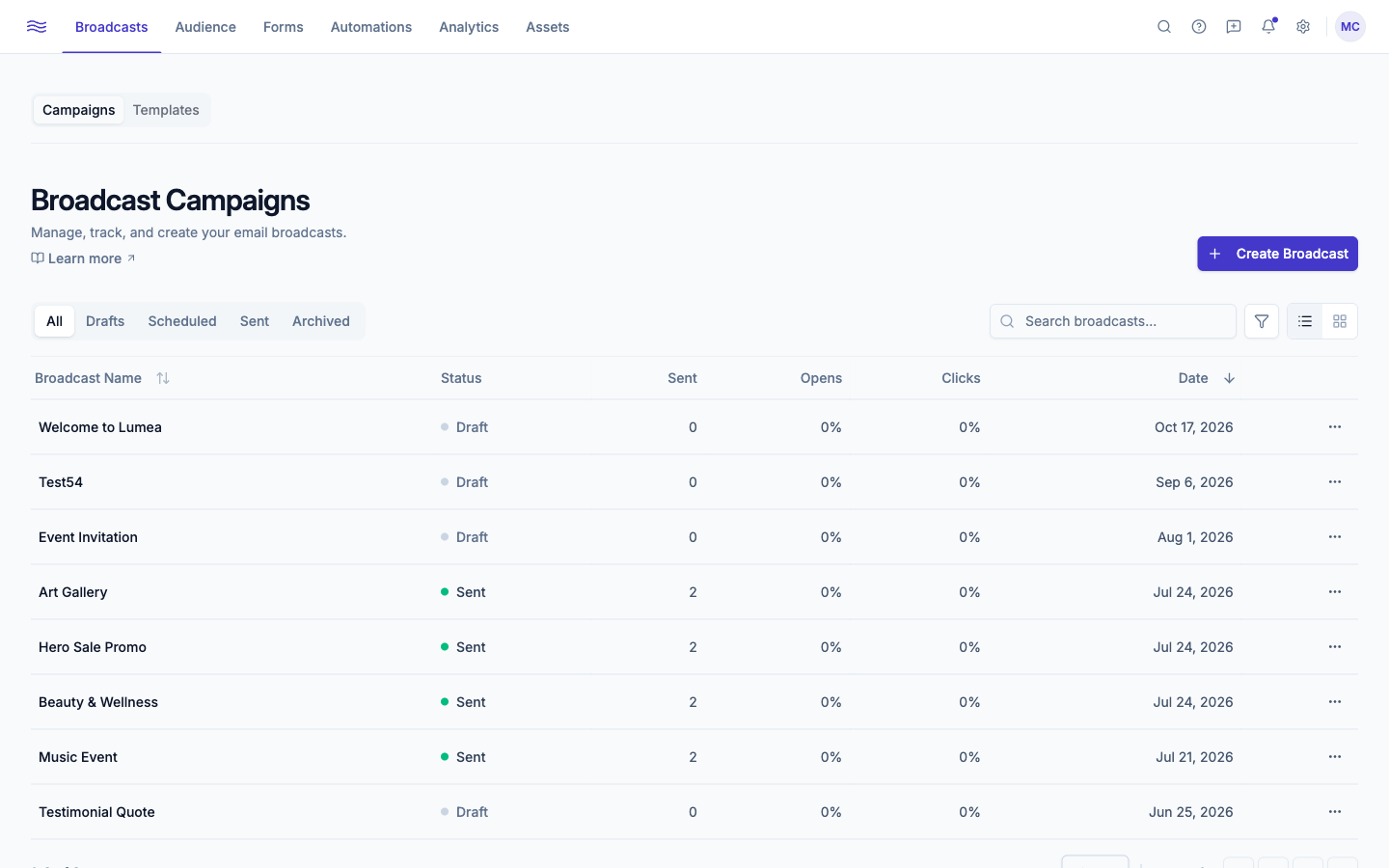
The Campaigns list
The Campaigns tab shows every broadcast you've created, with sub-tabs for All / Drafts / Scheduled / Sent / Archived, a search box, a date-range filter, and a list/grid view toggle. Each row shows the broadcast name, status, recipient count, open and click rate, and date, with a menu of actions that changes based on status (see below).
Broadcast statuses
| Status | Meaning |
|---|---|
| Draft | Not sent yet. Fully editable. |
| Scheduled | Queued for a future send time. Editable: editing or cancelling reverts it to a draft. |
| Sending | Actively going out right now. |
| Sent | Finished, with zero permanent failures. |
| Partial | Finished, but some recipients permanently failed (under 30% of the audience). |
| Failed | Finished with 30%+ of recipients permanently failing; check your sending domain status. |
| Cancelled | A scheduled send that was cancelled before it went out. |
Only Draft broadcasts can be edited or (re-)scheduled. Only Draft, Cancelled, or Failed broadcasts can be deleted; everything else can be archived instead, which just hides it from your main list without losing its history.
What you can do from the list
Each row's ⋯ menu adapts to the broadcast's status:
- View Details / Preview (opens the hosted email in a new tab) / View in Browser (sent broadcasts)
- Edit Broadcast (drafts and scheduled sends only)
- Duplicate: always creates a fresh draft named "Original Name (Copy)"
- Send Now / Schedule Send (drafts)
- Resend to non-openers: available starting 24 hours after a send finishes; lets you re-send (with a new subject line, pre-filled as "Re: original subject") to only the contacts who never opened the original
- Retry Send (failed or partial sends)
- Archive / Unarchive
- Delete (drafts, cancelled, or failed only)
Onboarding required to send
The Create Broadcast button and Send Now are disabled until your quickstart checklist is complete. You can still build and save drafts before then.